NPS Nominee, PRAN and CRA Record: Five Checks After You Open an Account Through Abhipra
Opening an NPS account is only the first control point. Your PRAN, CRA record, bank details and nomination can affect how easily you receive alerts, request a change or support a future claim. A short review soon after onboarding is more useful than trying to reconstruct records under pressure.

Start with the record only you should control
Keep your PRAN private and use only the official CRA route for account access. Do not share passwords, PINs or one-time passwords with anyone, including a person offering help. Confirm that the mobile number and email in your account are yours and remain accessible: they are important for account alerts and authentication.
The NPS architecture uses Central Recordkeeping Agencies for recordkeeping, administration and subscriber services. Your CRA record is therefore the reference point for the personal, bank and nomination information you may need later.
Five checks to make after onboarding
- PRAN and contact details. Store the PRAN securely; check the spelling of your name, mobile number, email and address against your own records.
- Bank details. Verify the linked bank-account details before you ever need a contribution, withdrawal or service request. Use the documented change route if anything is wrong.
- Nominee names and shares. Protean CRA guidance permits up to three nominees. Where more than one nominee is recorded, the shares must total 100%; otherwise the nomination can be rejected.
- Minor-nominee data. If a nominee is a minor, check the date of birth and guardian details carefully.
- Proof of each request. Keep the acknowledgement, request reference and a dated copy of supporting documents in a secure location. Recheck the CRA record once an update is confirmed.

An illustrative way to think about nominee shares
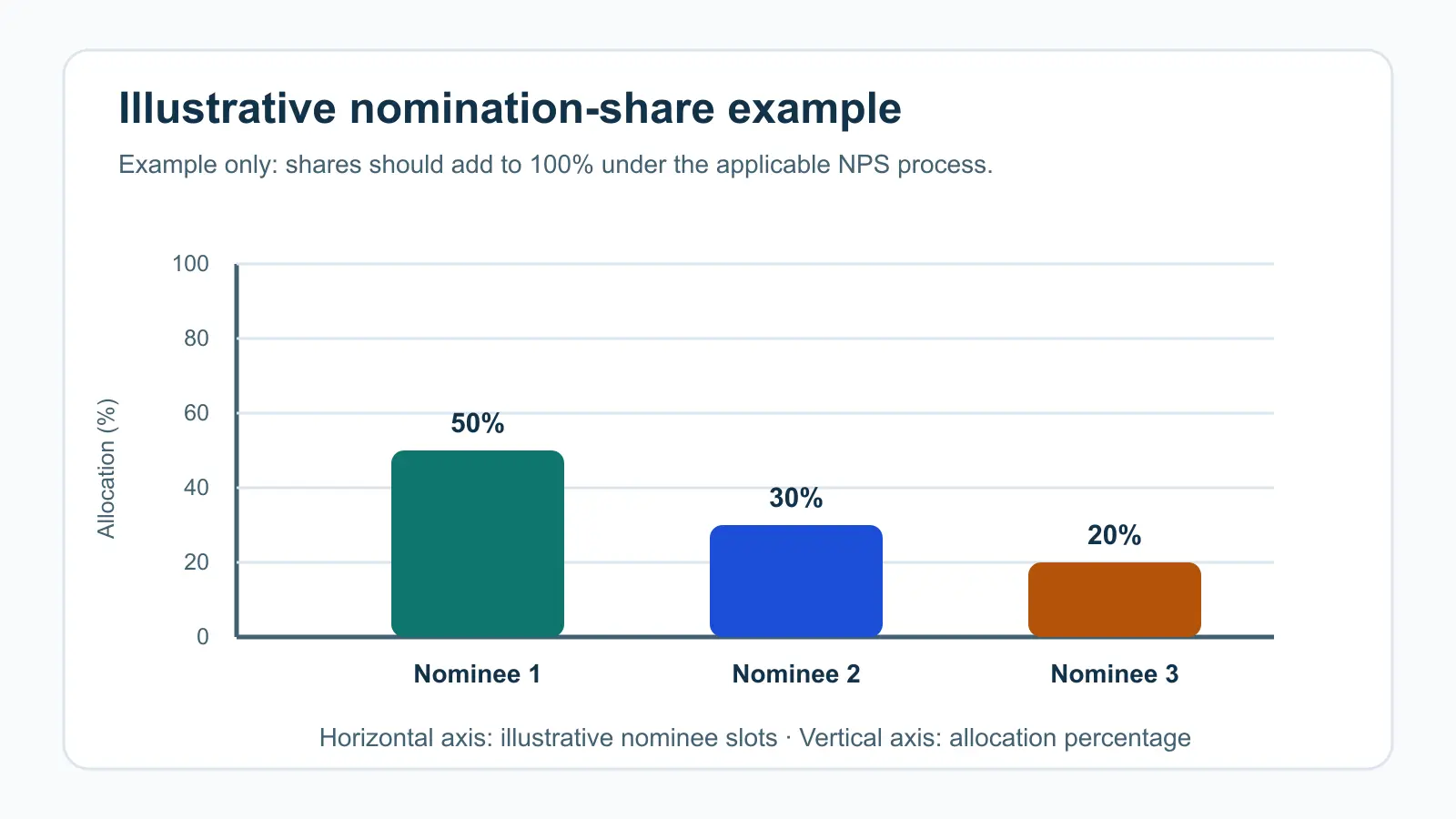
The chart uses a hypothetical three-person allocation of 50%, 30% and 20%; it is not a recommended split and does not represent subscriber data. The horizontal axis identifies illustrative nominee slots. The vertical axis is allocation percentage. Its only inference is a basic validation check: the three illustrated shares add to 100%. Your own nomination should reflect your circumstances and the current applicable NPS process.
A four-step record-review workflow
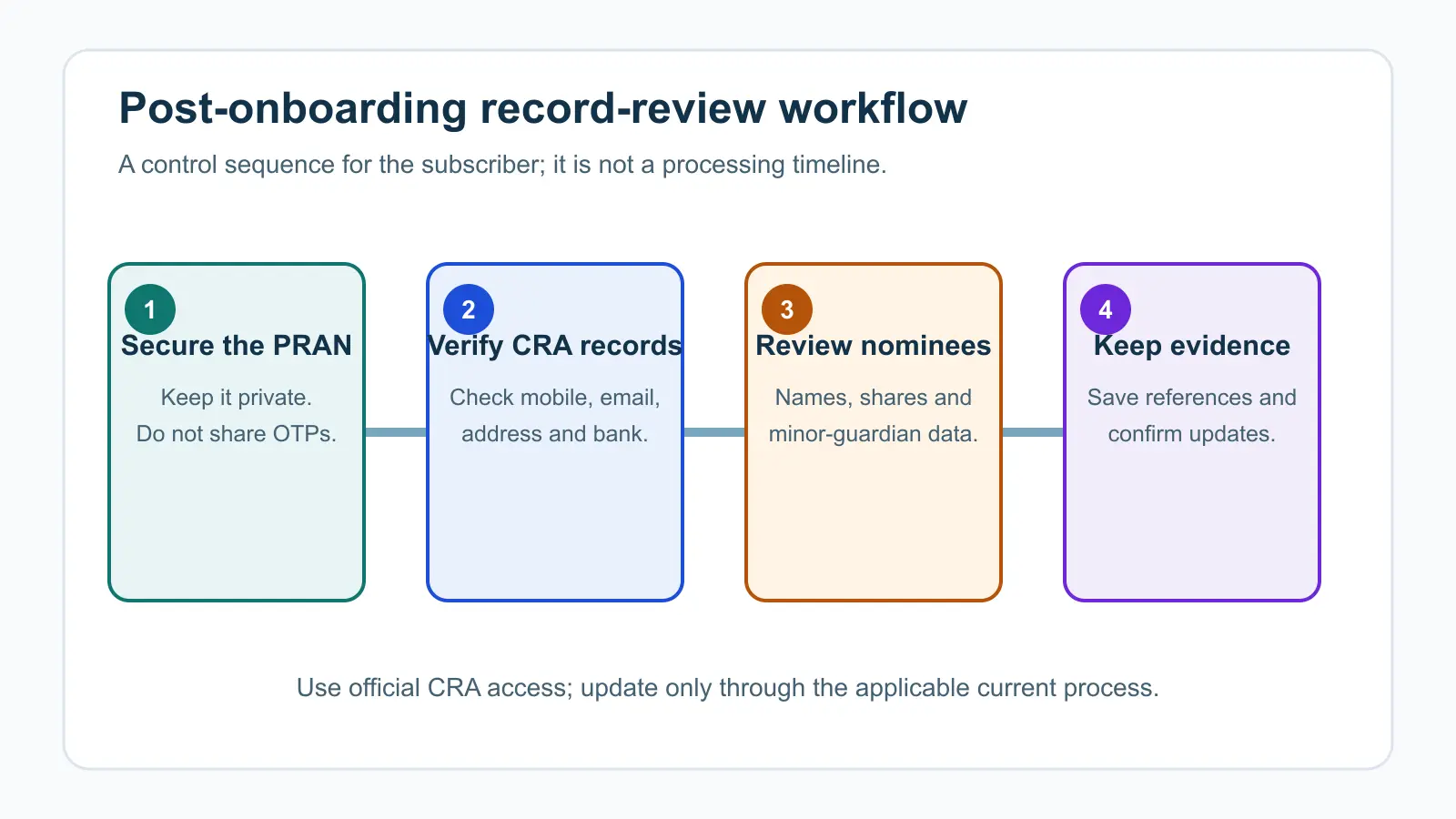
This is a sequence, not a service timeline. The practical point is that an update is not complete merely because a form was submitted: retain the acknowledgement and confirm the resulting record through the applicable CRA channel.
When a review is especially useful
- You change your mobile number, email, address or bank account.
- You marry, divorce, have a child, or experience another event that may change your nomination.
- You change job or subscriber category.
- You notice a mismatch in an account statement, alert or service-request status.
Protean CRA’s service-request guidance describes routes for changing personal, nomination and bank details, including prescribed forms and online/app options for certain details. The exact route can depend on the subscriber category and the requested change, so use the current official instructions rather than assuming every change is available in the same way.
How Abhipra can help
Abhipra has acted as a Point of Presence for 17 years. We can help you understand the appropriate NPS servicing route and the records to keep ready; we cannot receive or use your passwords or OTPs. Visit Abhipra NPS & Pension services for support. If you are yet to open an account, use Abhipra’s NPS account-opening route.
Frequently asked questions
Can I have more than one nominee in NPS?
Protean CRA guidance says up to three nominees can be registered. Where multiple nominees are entered, verify that their percentage shares total 100%.
Can a minor be a nominee?
Yes. The CRA guidance says a minor can be a nominee, with guardian details and the minor’s date of birth required.
Can I change nomination or bank details later?
Service routes exist for changes and corrections, but the required process can differ by subscriber category and type of request. Confirm the current CRA instructions before submitting a change.
Is a submitted change automatically complete?
No. Save the acknowledgement and confirm that the intended detail appears correctly in the applicable CRA record after processing.
Source links and disclaimer
- PFRDA: About the National Pension System and CRA role
- Protean CRA: service-request FAQ
- Protean CRA: nomination rules and percentage-share validation
- Protean CRA: update records before an exit request
This article is for investor education and is not investment, tax, legal or estate-planning advice. NPS processes and eligibility can change. Verify current official instructions and assess your own circumstances before submitting a request.