NPS Contribution TID: Why Government Nodal Offices Must Capture It Correctly
When a government-sector NPS contribution moves from a nodal office to the Trustee Bank, the bank message needs a reliable link to the contribution file. PFRDA’s 14 September 2026 advisory makes the Transaction ID (TID) mandatory in the “Sender to Receiver Information” field for this remittance process.

What changed for the remittance trail?
The advisory is addressed to Central Government and State Government stakeholders. It concerns the operational remittance of contribution funds to the Trustee Bank, not a new investment choice or a change to NPS returns. The TID connects the bank transfer with the contribution information uploaded by the authorised office.
For a subscriber, the practical question is simple: if a payroll-linked contribution is delayed or returned, can the nodal office show the contribution file, TID, transfer date and bank reference together? That audit trail helps the office and the CRA investigate without guessing.
The four fields worth reconciling

An authorised office should reconcile:
- the contribution file or Subscriber Contribution File (SCF);
- the TID generated for that file;
- the amount remitted to the Trustee Bank; and
- the TID copied into the bank’s Sender to Receiver Information field.
Protean’s government-sector operating procedure says the amount deposited should exactly match the amount in the contribution file. It also says the bank should be instructed to mention the TID in the Sender to Receiver Information field. These controls are operational guidance for the relevant government-sector process; they are not a request for subscribers to share bank credentials or OTPs.
A time-aware control chart
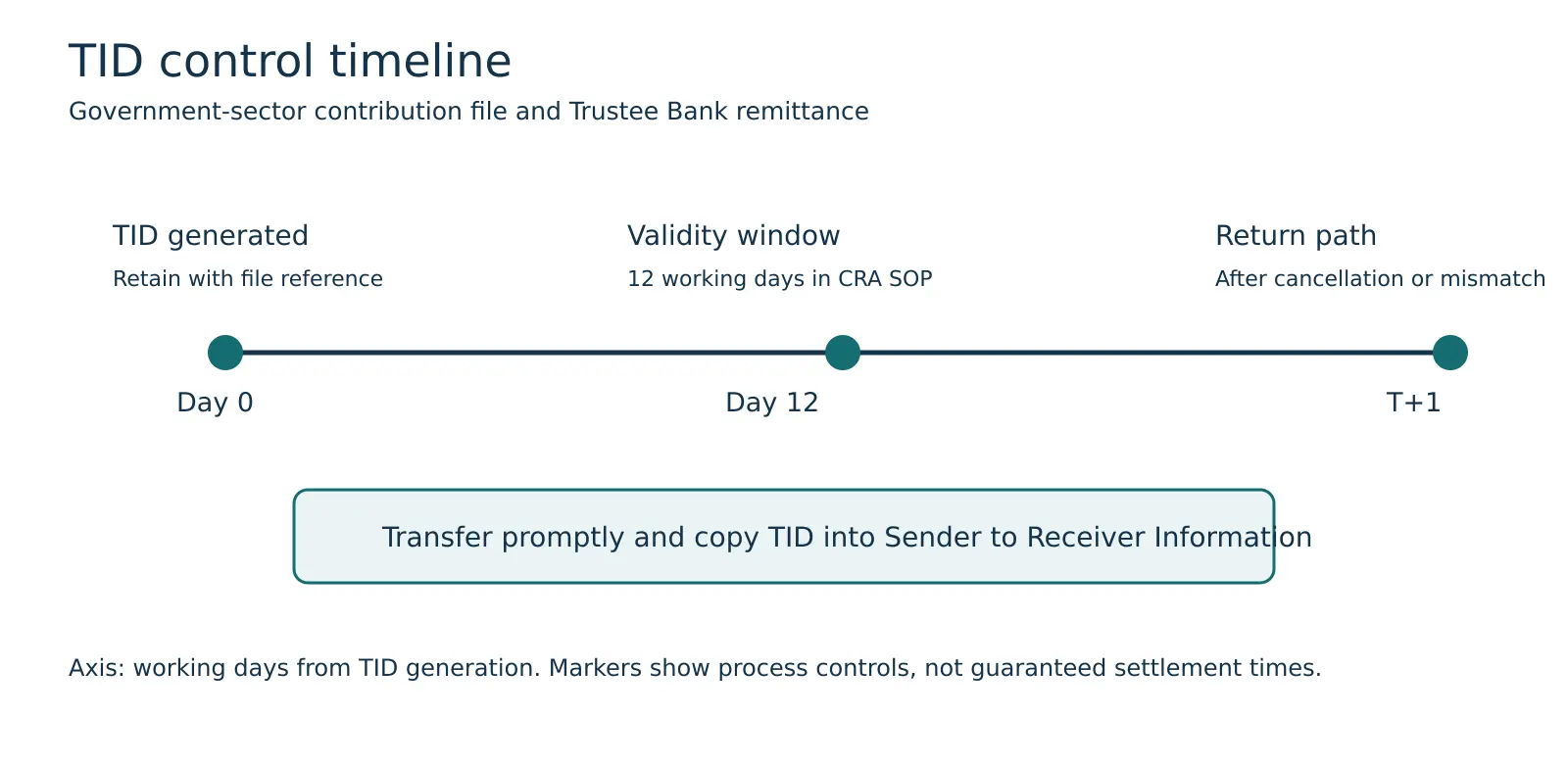
The chart’s horizontal axis is working days from TID generation. Day 0 is the generation point; the “12 working days” marker shows the validity period described in Protean’s government-sector SOP. The T+1 return marker represents the SOP’s stated return path after a cancelled TID or an amount mismatch. These are process controls, not a promise that every contribution will settle on the same schedule.
The inference is useful for payroll teams: generate the TID, arrange the transfer promptly, preserve the evidence and investigate a mismatch before the file ages out. A subscriber who sees a missing contribution should ask the nodal office to reconcile those four fields rather than making a second contribution immediately.
Follow the remittance workflow
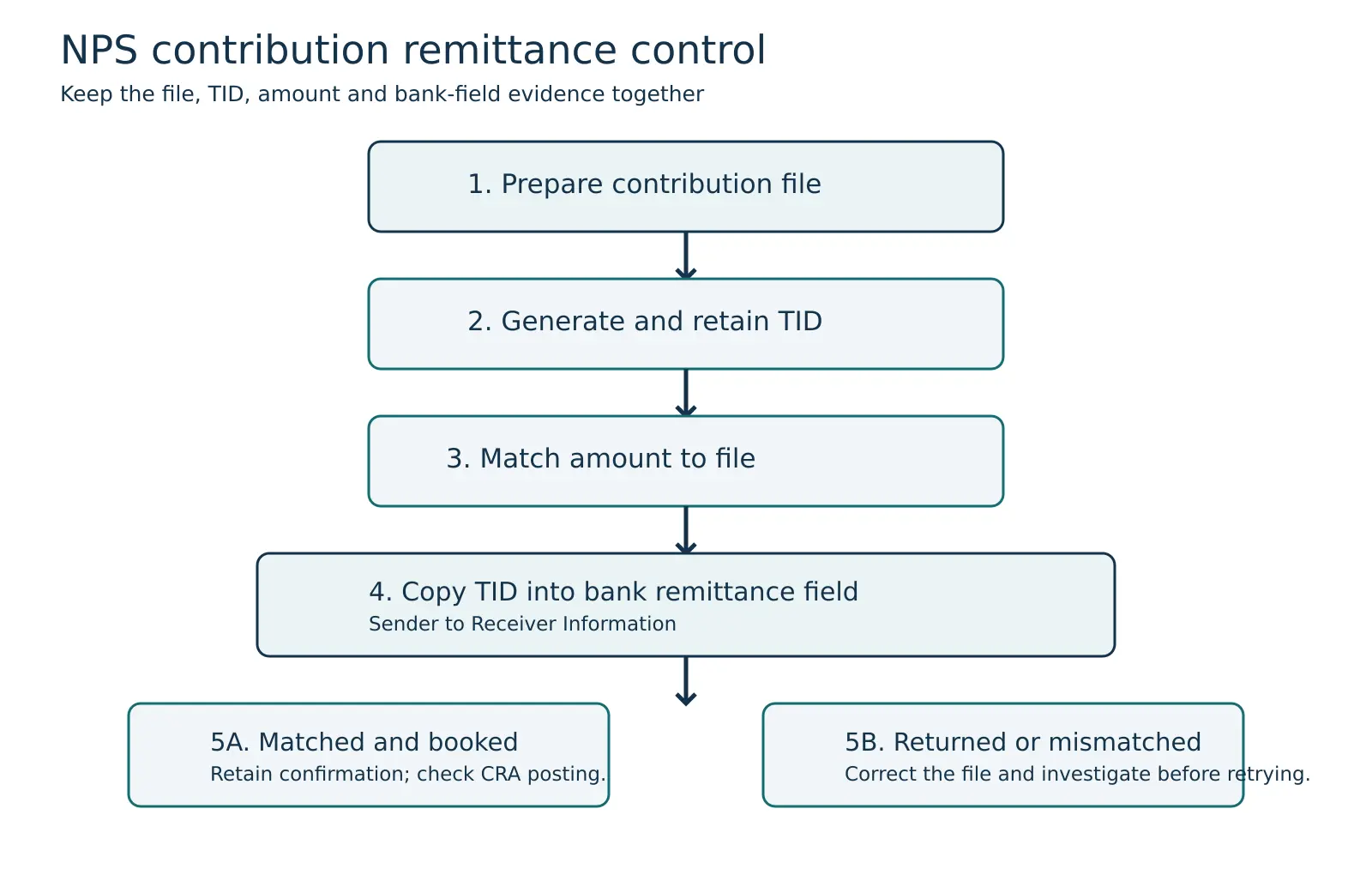
- Prepare the contribution file: confirm subscriber records and the total amount.
- Generate the TID: retain the TID with the file reference and generation date.
- Match the amount: verify that the bank transfer amount exactly equals the contribution file amount.
- Populate the bank field: instruct the accredited bank to carry the TID in Sender to Receiver Information.
- Check the result: retain the matched-and-booked confirmation, or investigate a return and correct the file before retrying.
The arrows show the control sequence. They do not mean that every subscriber personally performs each step; these actions normally sit with the authorised nodal office, treasury or bank team.
What subscribers should ask when a contribution is missing
- Which contribution file and TID were used?
- What amount was sent to the Trustee Bank, and did it match the file?
- Was the TID included in the bank’s Sender to Receiver Information field?
- Was the file matched and booked, or returned for correction?
- Has the CRA statement or PRAN record been checked after the correction?
Avoid sharing passwords, OTPs or complete banking credentials while requesting this investigation. Ask for the official transaction reference and written status through your employer’s authorised NPS channel.
How Abhipra can help
Abhipra has acted as a Point of Presence for 17 years. Its NPS Desk can help explain the service route and records to keep for an NPS query. Visit NPS & Pension or contact the Abhipra NPS Desk. Government payroll remittance controls remain the responsibility of the authorised nodal office and bank.
This article is for investor education only. It does not change official payroll procedures, guarantee contribution settlement or provide investment advice. The PFRDA advisory and CRA procedure may be revised; government-sector offices should follow the latest official instructions. Sources checked on 22 September 2026.