
NPS Contact Details: How to Update Your Mobile Number, Email and Address
Your PRAN is linked to the contact details held by your Central Recordkeeping Agency (CRA). Keeping those details current helps you receive account messages, complete important requests and avoid delays when a service needs OTP or written confirmation.

Why a small update matters
The NPS Trust warns subscribers to keep the email ID and mobile number linked to the PRAN or grievance token correct and current because communications are sent to those registered details. An outdated number can turn a routine account task into a follow-up exercise. See the NPS Trust subscriber login and contact guidance.
Three routes for a contact update

For mobile number or email ID changes, the available route depends on your CRA and account setup:
- CRA login: sign in to the CRA system and use the demographic or contact-details update option. A Protean subscriber guide describes the menu as “Demographic Changes → Register/Update Email ID/Mobile”.
- CRA mobile app: use the profile or contact-details section when your CRA provides that facility.
- Subscriber Details Change form: submit Form S2 through the appropriate Point of Presence, nodal office or other authorised channel when online access is unavailable or when supporting verification is required.
PFRDA’s CRA directory confirms that CRAs provide online services for updating mobile number, email ID and address. The PFRDA CRA directory is the safest starting point for the current CRA route. The Protean subscriber guide (PDF) documents the online, mobile-app and Form UOS-S2 options for its records; check the equivalent instructions if your PRAN is held with another CRA.
Contact-update route map
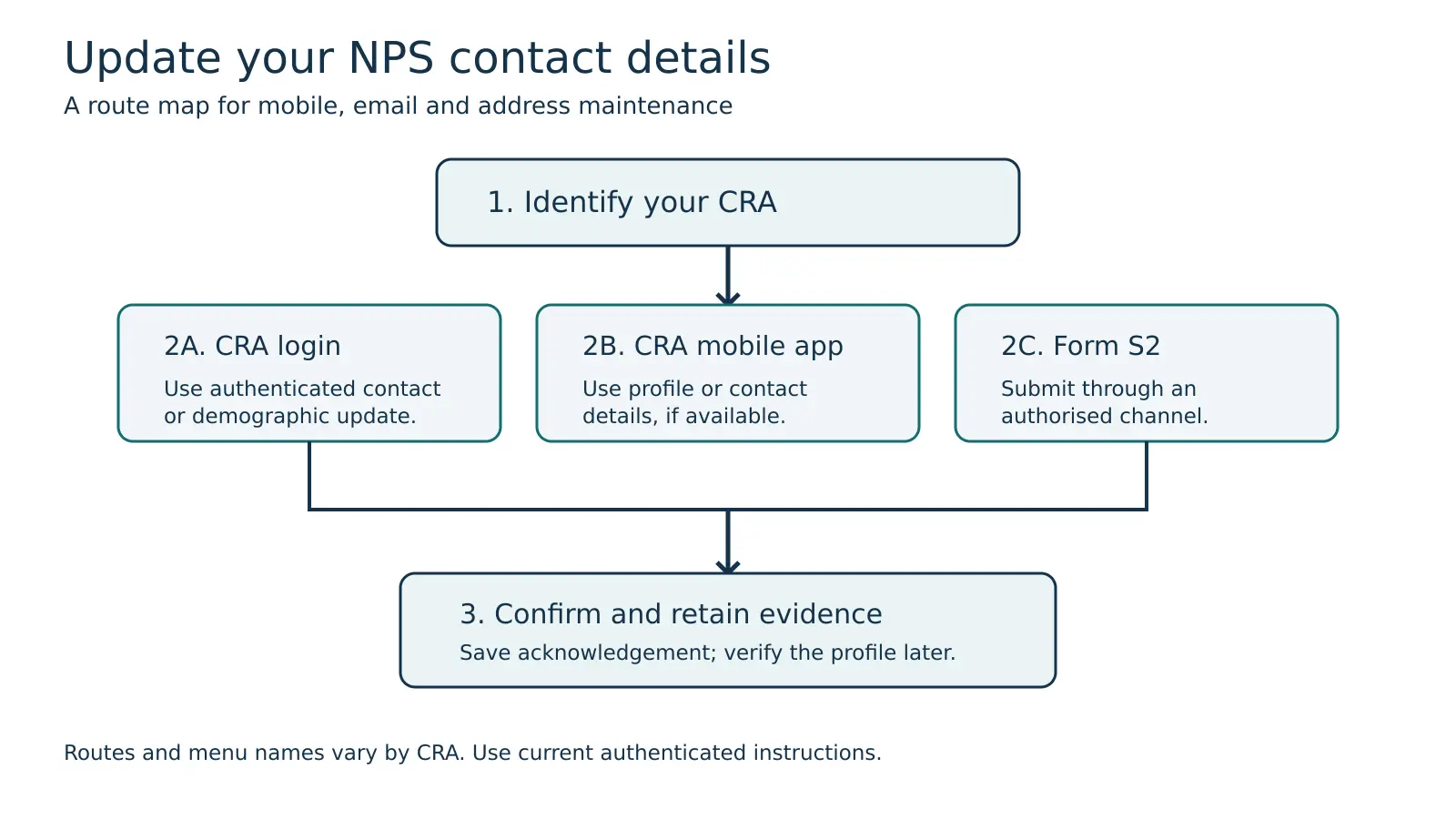
The diagram’s arrows show the order of decisions rather than a promise that every CRA uses identical screen names. The practical inference is simple: identify the CRA first, use its authenticated channel, and retain the acknowledgement or updated profile screen after submission.
What to check before you submit
- Keep your PRAN and registered identity details ready, but never share your password, OTP or full credentials with another person.
- Enter the mobile number and email address that you can access regularly.
- If changing an address or another demographic field, check whether your CRA or nodal office requires Form S2 and supporting proof.
- Save the request acknowledgement, date and any reference number. Log in again later to confirm that the new details are visible.
- If a contact update is needed before exit or another time-sensitive request, start early. The rules and screens can vary by CRA and subscriber model.
How Abhipra can help
Abhipra has acted as a Point of Presence for 17 years. Its NPS Desk can help you understand the appropriate service route and documents for a contact-detail request. Visit NPS & Pension or contact the Abhipra NPS Desk. Assistance does not replace the CRA’s authenticated update process.
Questions investors often ask
Can I update only my mobile number or email ID? Yes, those fields can generally be updated through the CRA’s authenticated online or app route where enabled; a form-based route may also be available.
Is updating an address the same as updating an email ID? Not necessarily. Address changes can involve additional verification or an authorised office, so follow the current CRA or nodal-office instructions.
Will an update change my PRAN? A contact-detail update is a maintenance request for the existing account. Keep the acknowledgement and verify the updated profile; do not create a second PRAN to solve a contact problem.
This article is for investor education only. NPS is market-linked and subject to applicable PFRDA rules, operational procedures and investment risks. CRA workflows, forms and verification requirements may change; use the current official CRA or PFRDA instructions before submitting a request. Sources checked on 20 September 2026. Corporate images are original AI-generated illustrations, not photographs of actual customers or Abhipra premises.