
NPS Account Security: Five Safe-Servicing Habits for Every Subscriber
An NPS account is a long-term retirement record, not a link to open in a hurry. A careful routine can help a subscriber protect access, spot an unusual request and keep the details needed for legitimate service.

Start with the right expectation
PFRDA cautions subscribers about fake websites and messages that imitate pension-related services. A genuine NPS process may use registered contact details and authentication, but an unexpected message or caller should never dictate the next step. Pause, independently reach the official NPS or Abhipra route, and verify the request before sharing anything.
This is not a claim that every message is fraudulent. It is a simple control: do not let urgency replace verification.
Five habits that make servicing safer
| Habit | Practical action | Why it matters |
|---|---|---|
| 1. Type or use a saved official route | Do not begin from an unsolicited link. Confirm the website address and use the correct CRA or official NPS route. | A look-alike domain can be designed to collect credentials or personal information. |
| 2. Keep OTPs and passwords private | Use an OTP only within a session you initiated. Never read it to a caller or forward it in a message. | An OTP can approve account access or a service action. A genuine support interaction does not require a subscriber to disclose it. |
| 3. Check the request before approving it | Read the purpose, account details and acknowledgement before confirming a profile, bank, nomination or password-related request. | A short pause can catch an action that the subscriber did not initiate. |
| 4. Keep mobile number and email current | Review registered contact details after a number, employer or email change; use the authenticated CRA/app or the applicable service route. | NPS Trust notes that communications go to the registered contact details. Current records support alerts and recovery. |
| 5. Keep an audit trail | Save acknowledgement numbers, dated screenshots and relevant messages. Use an official grievance or support route if something looks wrong. | A clear record helps the subscriber describe the issue accurately and track follow-up. |
A five-step response to an unexpected NPS message
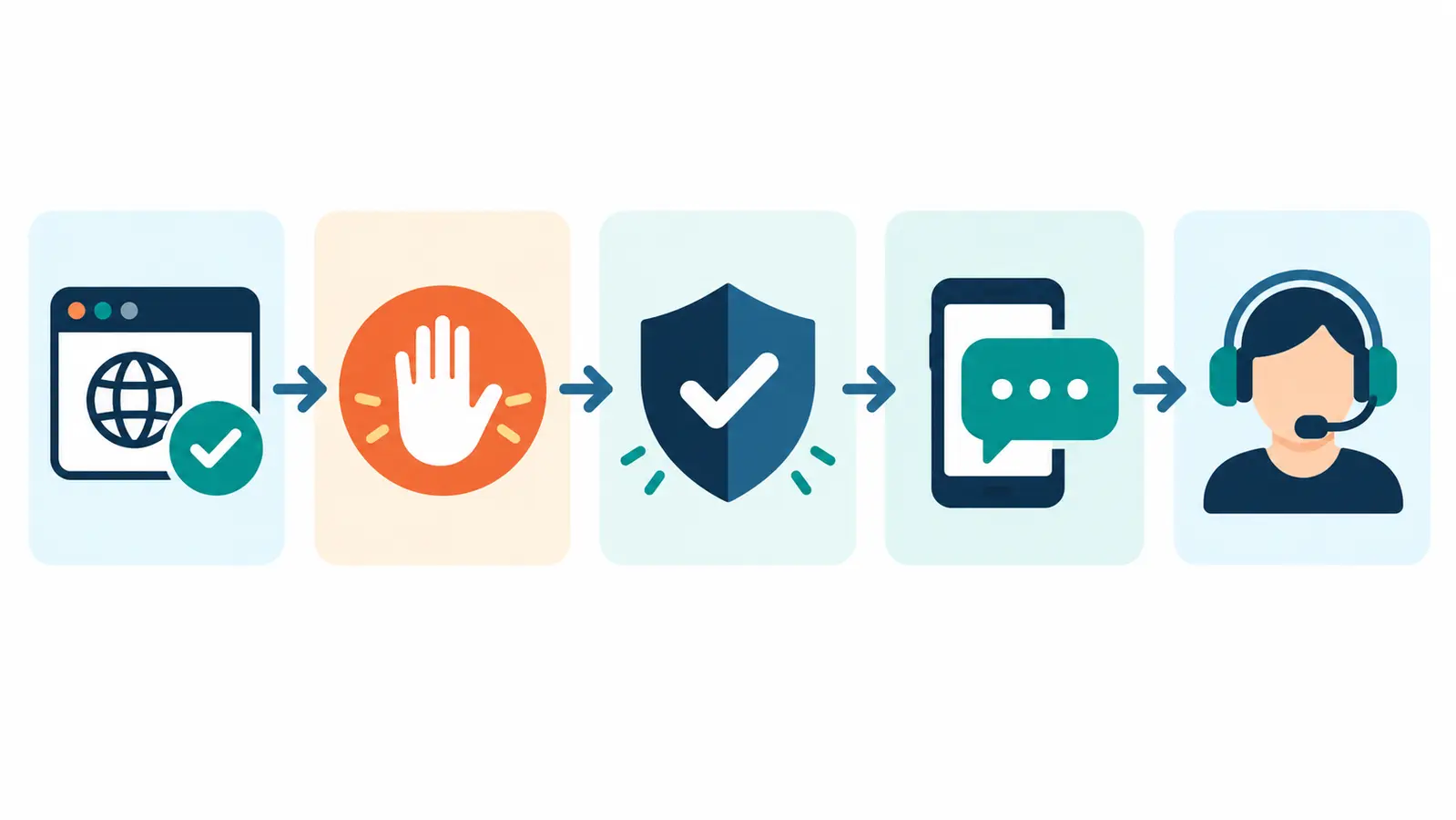
The workflow runs left to right. It has no numerical axes because it is a decision sequence, not a performance chart:
- Check the route. Open a known official website or a saved, trusted link instead of tapping the message link.
- Pause. Treat pressure, prizes, guaranteed outcomes or a request to install software as a reason to stop and independently verify.
- Protect access. Do not disclose an OTP, password, PIN or device screen to another person.
- Verify the request. Sign in through the official route and compare the requested action with the account record or acknowledgement.
- Use supported help. If the activity is unfamiliar, contact the appropriate official NPS/CRA channel or raise a grievance; retain the token or acknowledgement number.
The practical inference is simple: independently initiated access and a written record reduce the chance that a hurried decision becomes an account-control problem.
Secure servicing is also good account hygiene
The CRA guidance describes legitimate self-service functions such as viewing account details, requesting statements, updating contact details, changing a password/security question and raising a grievance. Use them only after signing in through the official path. If a password must be reset, follow the official reset flow rather than a caller’s instructions.
Set a calendar reminder to review the account after a material life change—new mobile number, new email, change of address, nominee update or employment change. Check that alerts reach the current contact details and that the latest contribution or service request is reflected as expected.
Where Abhipra can help
Abhipra has acted as a Point of Presence for 17 years. For NPS account-opening support or help understanding the appropriate servicing route, see Abhipra NPS & Pension services. If you are ready to start a new account, use Abhipra’s approved NPS account-opening route. Existing subscribers should use the relevant authenticated CRA/service route for changes to their own record.
FAQs
Should I share an OTP with a caller who says the request is urgent?
No. End the interaction and independently access the official service route. Use an OTP only for a session you initiated and understand.
What should I keep after submitting a service request or grievance?
Keep the acknowledgement or token number, date, channel used and a concise record of the request. These details make later follow-up clearer.
Does this article guarantee protection from fraud?
No. These are prudent habits, not a guarantee. Subscriber circumstances and service processes can differ; use official channels for account-specific guidance.
Source Links / Disclaimer
Read PFRDA’s public caution on fake websites, messages and cyber-fraud response, the CRA’s service-request and official password-reset FAQ, NPS Trust’s grievance guidance, and the CRA’s subscriber services overview. Rules and operational steps may change. This educational article is not personalised investment, legal or cybersecurity advice.