How to Make NPS Contributions Online: A Safe Subscriber Checklist
Making an NPS contribution online is straightforward, but a safe routine matters just as much as a convenient payment method. A successful payment is only the first checkpoint: the right PRAN, account tier, transaction reference and later unit credit all need attention.

Choose an authorised way to contribute
NPS subscribers can make unlimited Tier I or Tier II contributions without an upper amount limit. The available routes include logging in to the NPS pension account, an authorised Point of Presence (PoP) online facility, the NPS Trust eNPS platform, the NPS mobile app and D-Remit. The precise screens and payment choices can differ by CRA or PoP.
Start only from a known official route. Type the address yourself or use a trusted bookmark. A genuine service should never require you to share your password or one-time password with a caller, message sender or support agent.
Four checks before you press pay
- Confirm that the displayed PRAN belongs to you and choose the intended Tier.
- Check the contribution amount against your budget; NPS is market-linked and is meant for retirement planning, not an emergency-fund substitute.
- Use the payment method shown inside the authorised route. D-Remit can use a Virtual ID linked to a PRAN and may offer UPI or QR-code use.
- Keep the payment receipt or transaction reference, but do not save passwords, PINs or OTPs in notes, screenshots or chat messages.
What happens after payment
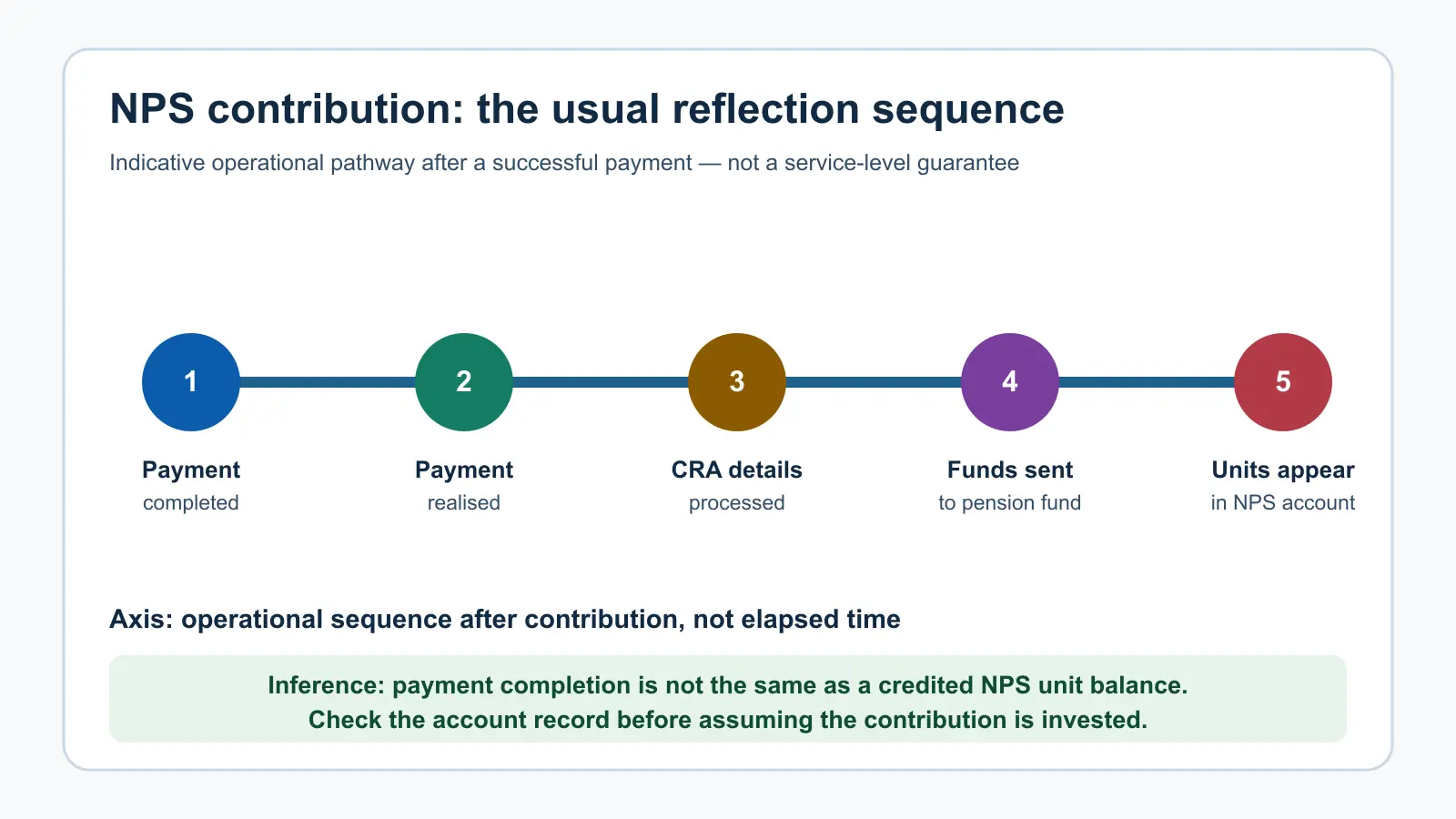
The chart’s horizontal axis shows the operational sequence rather than hours or a guaranteed turnaround. A contribution normally reflects in the NPS account within three working days. Before it becomes visible, payment is realised, details are processed through the recordkeeping flow, funds are transferred for investment, and units are allocated. If the record has not appeared after the normal window, use the authorised CRA or PoP support route with the transaction reference.
A safer contribution workflow
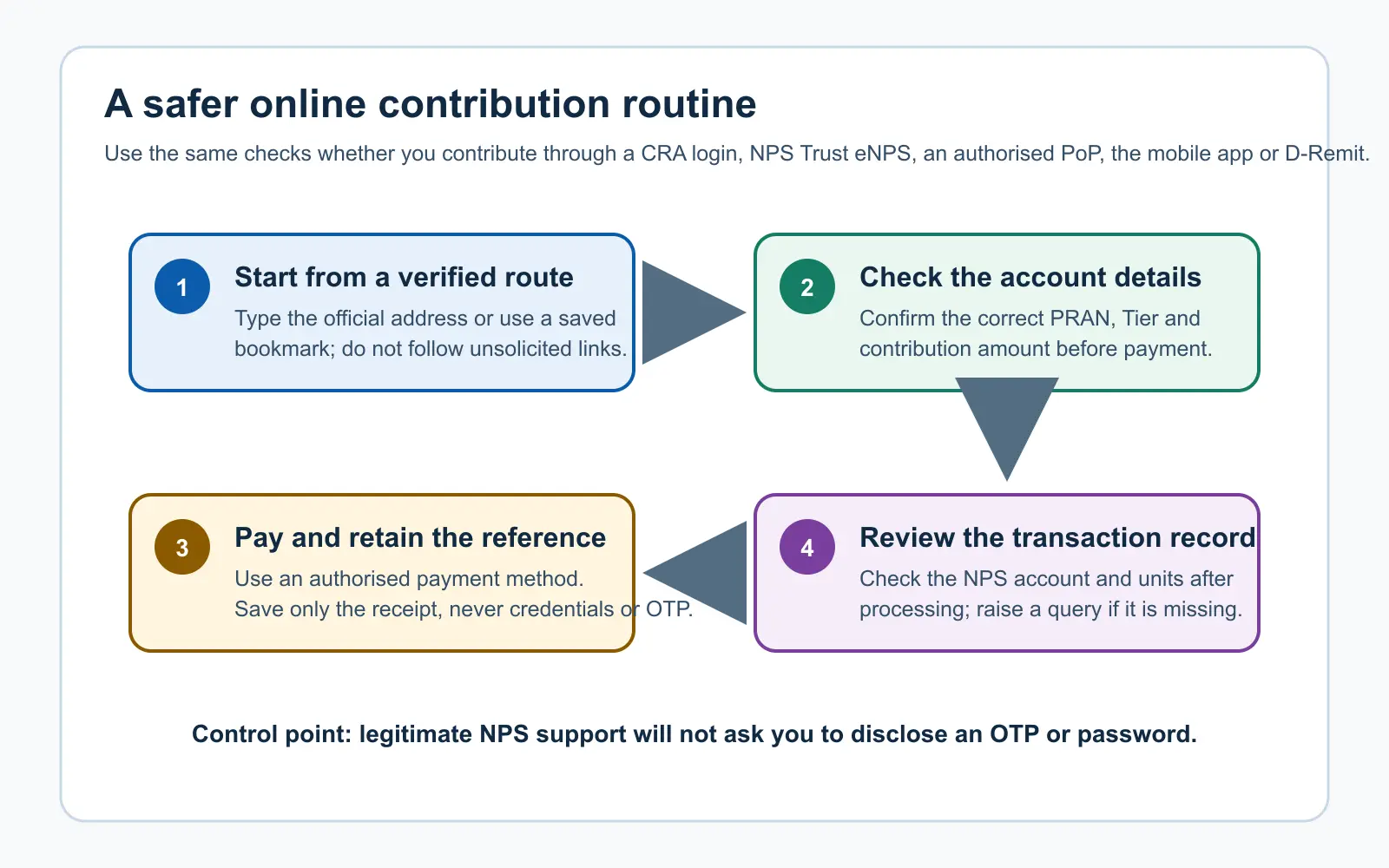
This workflow emphasises a useful distinction: payment confirmation is not the final evidence of investment. The account transaction and unit record are the follow-through checks. Review the contribution after processing and keep your registered mobile number and email current so that alerts reach you.
Contribution route at a glance
| Route | Practical use | Control to keep |
|---|---|---|
| Pension-account or eNPS login | Direct online contribution through an authenticated route. | Verify the website address and correct PRAN before paying. |
| Authorised PoP online facility | Contribution support through the registered service provider. | Keep the acknowledgement and confirm it in your NPS account. |
| NPS mobile app or D-Remit | Mobile-first contribution options, including Virtual-ID-linked methods where available. | Use only the official app or verified D-Remit path; do not scan a QR code sent by an unknown person. |
Need help with a contribution routine?
Abhipra NPS & Pension services can help you understand NPS servicing and contribution options. Abhipra has acted as a Point of Presence for 17 years. If you are ready to start, use the Abhipra NPS account-opening route or explore the Abhipra NPS SIP route. You can also contact the NPS Desk at nps@abhipra.com.
Source links / disclaimer
- PFRDA: NPS All Citizen Model and contribution modes
- PFRDA: NPS All Citizen Model FAQs
- NPS Trust: D-Remit QR contribution process
- PFRDA active circulars
This article is for educational and informational purposes only. It is not investment, tax, legal or retirement-planning advice. NPS is market-linked and subject to applicable PFRDA rules, investment risks and operating conditions. Check the current official process before acting.